How to Start a Blog That Makes Money in 2024: Step-By-Step


So, you’ve got a story to share, a passion to express, or maybe you just want to make money? Well, starting a blog is a fantastic way to do just that. Nowadays, the process has never been easier, there’s no longer a need to know coding or be a tech-guru! In this step-by step guide, we’ll walk you through each step, from picking a catchy blog name to making money from your writing:
- Step 1: Pick a Blog Name and a Platform
- Step 2: Installing WordPress
- Step 3: Choosing a WordPress Theme
- Step 4: Write Your First Blog Post
- Step 5: WordPress Plugins
- Step 6: Monetising Your Blog
- FAQ
Step 1: Pick a Blog Name and a Platform
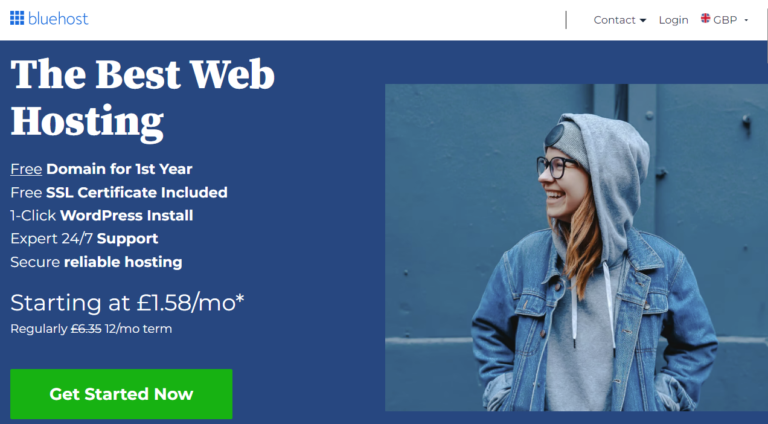
Before you get started blogging you need a name for your blog and a platform to host it. Your blog name should be catchy, memorable, and reflect the essence of what you’ll be writing about. Once you’ve brainstormed a few ideas, it’s time to choose a platform. WordPress.org is a popular choice because it’s user-friendly, highly customisable, and offers a wide range of features. And when it comes to hosting your WordPress blog, Bluehost is a reliable and affordable option, making it an excellent choice for beginners. So, take some time to brainstorm your blog name and then sign up for a Bluehost account to get started!
Step 2: Installing WordPress
With your blog name and hosting platform sorted, it’s time to dive into the technical side of things by installing WordPress blogging software. Fortunately, Bluehost makes this process a breeze with its one-click WordPress installation feature. Simply log in to your Bluehost account, navigate to the control panel, and locate the WordPress installer. Click on it, follow the prompts, and within minutes, you’ll have WordPress up and running on your domain. Once installed, you’ll receive a username and password to access your WordPress dashboard, where you can customise your blog’s appearance, add content, and manage all aspects of your site. If you encounter any difficulties during the installation process, Bluehost’s customer support team is on hand to help you out. So, don’t be intimidated by the technical side of things – installing WordPress is easier than you might think!
Step 3: Choosing a WordPress Theme
Now that you’ve got WordPress installed, it’s time to make your blog look awesome with a theme. Your theme is like the outfit your blog wears – it sets the tone and makes the first impression on your visitors. Fortunately, WordPress offers thousands of free and premium themes to choose from, catering to every style and niche imaginable. To find the perfect theme for your blog, log in to your WordPress dashboard, navigate to the “Appearance” tab, and click on “Themes.” From there, you can browse through the available options, preview how they’ll look on your site, and activate your favorite. When selecting a theme, consider factors like responsiveness (how it looks on different devices), customisation options, and compatibility with plugins. And remember, you can always switch themes later on if you decide to change things up. So, take your time, explore your options, and choose a theme that reflects your personality and brand.
Step 4: Write Your First Blog Post
With your WordPress site set up and ready to go, it’s time to dive into the exciting world of content creation by writing your first blog post. Start by brainstorming ideas for topics that align with your blog’s theme and resonate with your target audience. Whether it’s sharing a personal story, providing helpful tips, or discussing industry news, aim to create content that informs, entertains, or inspires your readers. Once you’ve settled on a topic, outline your post to organize your thoughts and structure your content. Then, head to your WordPress dashboard, click on the “Posts” tab, and select “Add New” to start drafting your post. Write compelling headlines, break up your content with subheadings and bullet points for readability, and don’t forget to include images or multimedia to enhance your message. Finally, proofread your post for any errors and hit publish to share your thoughts with the world.
Step 5: WordPress Plugins
Now that your blog is up and running with a sleek theme, it’s time to enhance its functionality with plugins and customisations. Plugins are like apps for your WordPress site – they add new features and capabilities to make your blog more dynamic and user-friendly. From social media integration to search engine optimization (SEO) tools, there’s a plugin for just about everything. To install a plugin, simply navigate to the “Plugins” tab in your WordPress dashboard, click “Add New,” and search for the plugin you want to install. Once installed, you can activate it and customise its settings to suit your needs. In addition to plugins, you can also customize your blog’s appearance and layout further by tweaking settings in the “Customize” tab. Experiment with different fonts, colors, and layout options until you achieve the look you want. Just remember to keep things clean and user-friendly – too many plugins or excessive customizations can slow down your site and overwhelm your visitors.
Step 6: Monetising Your Blog
Now that your blog is set up and looking great, you might be wondering how to turn it into a profit. Luckily, there are several ways to monetise your blog and generate income. One popular option is through advertising – you can display ads on your site with Google Adsense and earn money whenever visitors click on them or view them. Another option is affiliate marketing, where you promote products or services and earn a commission for each sale made through your unique affiliate link, for example Amazon Associates. Additionally, you can offer sponsored content, where companies pay you to write blog posts or reviews about their products or services. And don’t forget about selling digital products like e-books, online courses, or photography prints, like we do here . Whatever method you choose, remember to prioritise providing value to your audience and maintaining their trust – after all, they’re the reason your blog exists in the first place.
FAQ
Do bloggers get paid?
Yes, bloggers can earn money through various methods such as advertising, affiliate marketing, sponsored content, and selling products or services. The key is to build a loyal audience and create valuable content that attracts advertisers or drives sales.
How do I start a blog for free?
You can start a blog for free using platforms like WordPress.com, Blogger, or Medium. Sign up, choose a domain name, and start writing. These platforms offer free hosting and easy-to-use interfaces, making it simple for beginners to start sharing their thoughts and ideas online.
How do I come up with a good blog name for my site?
To create a good blog name, brainstorm keywords related to your niche, consider your target audience, and aim for something catchy, memorable, and reflective of your brand or content. Keep it short, easy to spell, and avoid using numbers or hyphens.
What should I blog about?
When deciding what to blog about, consider your passions, expertise, and audience interests. Focus on topics that you enjoy writing about and that provide value or solve problems for your readers. Look for unique angles or personal experiences that set your content apart and keep your audience engaged.
Ready to join Bluehost? Click here to sign up and unleash the full potential of your website!
Disclaimer: This post contains affiliate links. By signing up through these links, you support our blog at no extra cost to you. We only recommend products and services we trust.